Home About Features Leaderboard Institutional Sign In Create Account

Powerful Features to Automate Your Trading

Everything you need to create, test, and deploy profitable trading strategies with confidence.

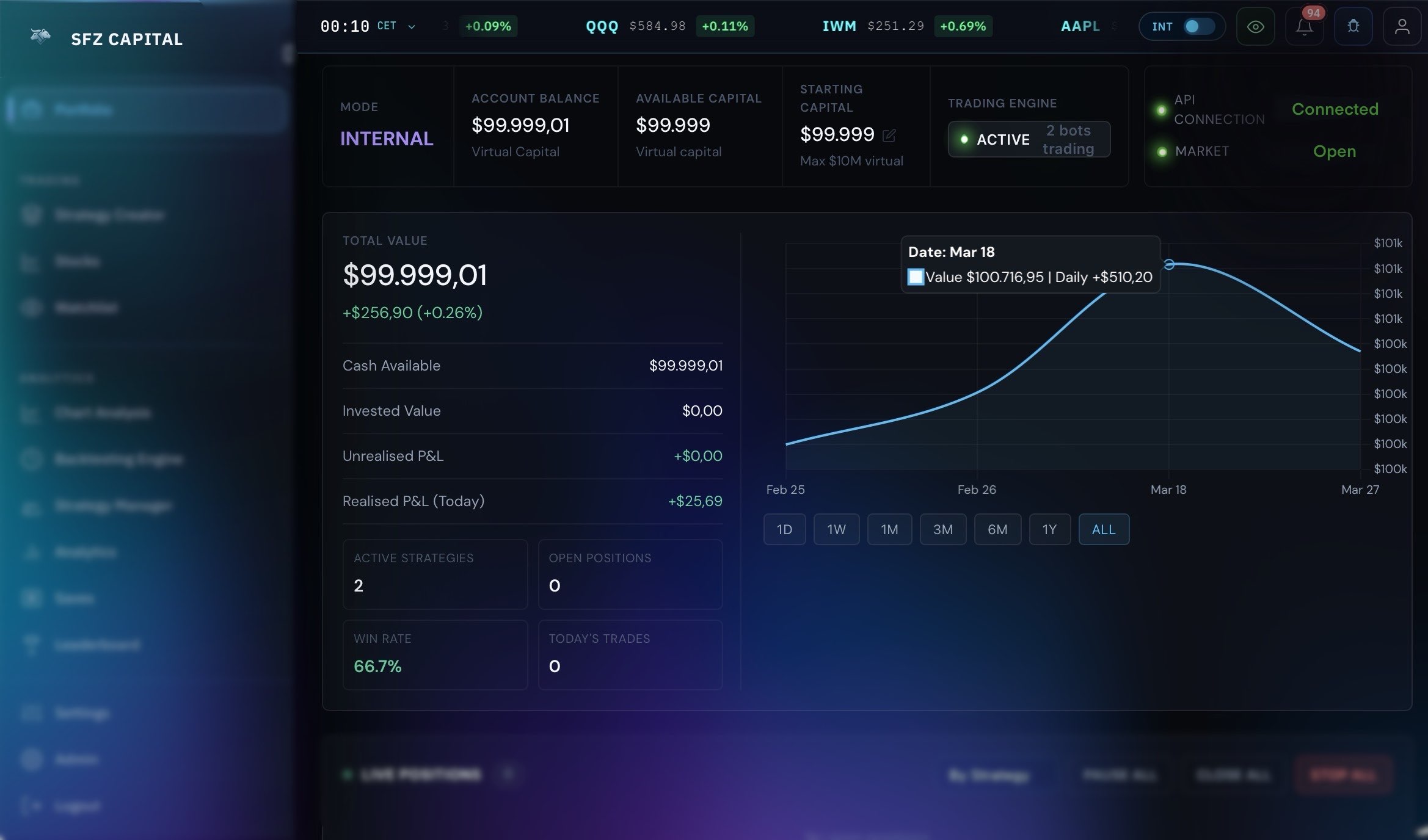
SFZ Capital trading workstation overview
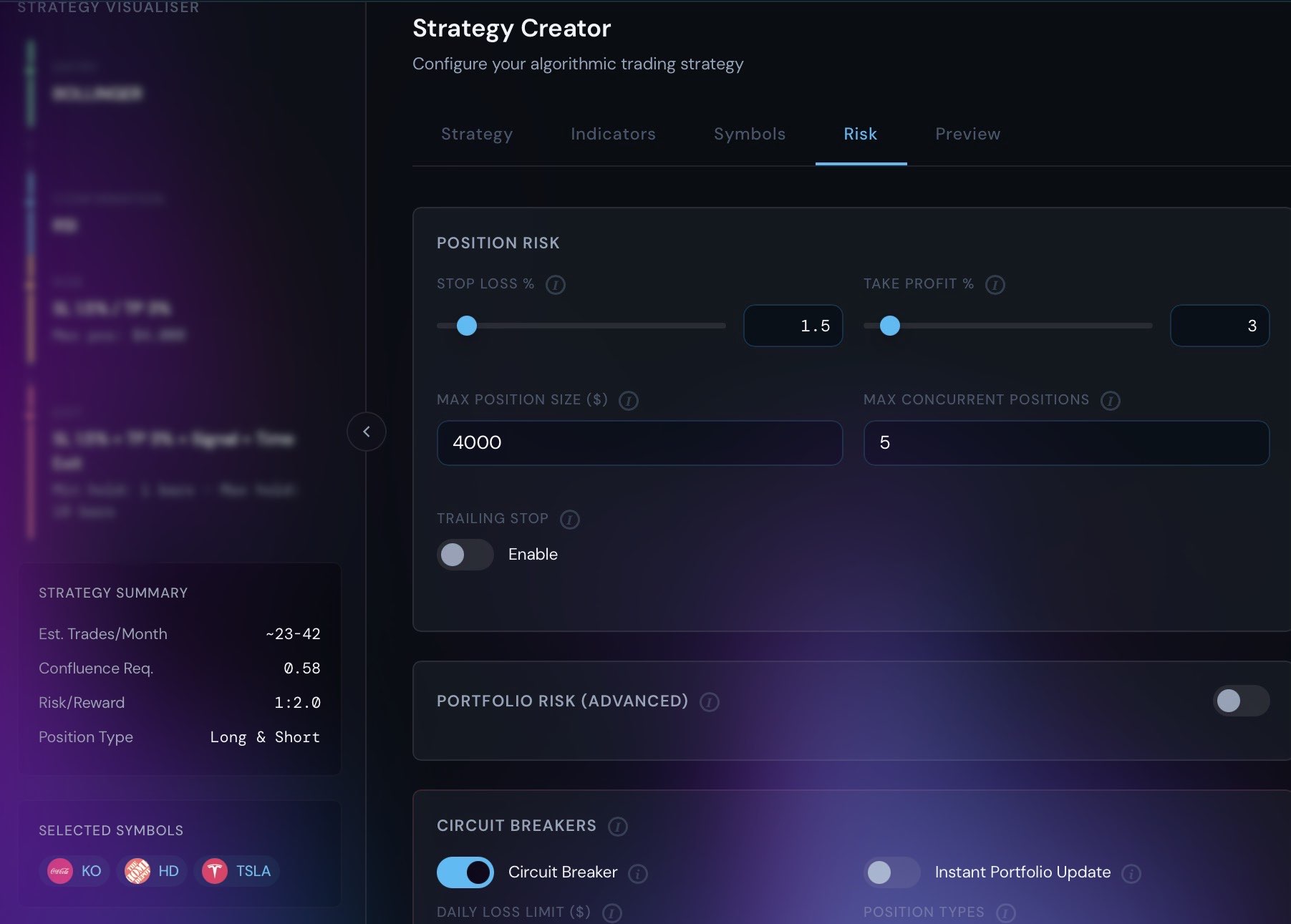
Strategy Creator

Configure Strategies Without Guesswork

Build rule-based bots with guided inputs for indicators, signal thresholds, position logic, and trade management. The workflow is form-driven, precise, and built around real trading rules.

  • Form-based strategy setup for indicator logic, signal rules, and execution behavior
  • Single and multi-indicator strategies with configurable parameters and confluence settings
  • Long-only or long/short strategy behavior with signal-driven exit controls
  • Trade management controls for stop loss, take profit, trailing stop, cooldown, and hold rules
  • Saved bot configurations tied to your symbols, timeframe, and capital settings
Start Building
Builder Workspace Saved bot config
Indicator settings, trade rules, and risk controls live in one strategy workspace.
Indicator SetupBuild saved strategy templates with supported indicators, entry confirmation, exits, and capital rules in one controlled workspace.
Signal RulesControl confluence, signal strength, exit confirmation, and minimum hold behavior without editing code.
Symbol ScopeAttach strategies to one or many supported symbols and keep timeframe choices aligned with each bot.
Execution ProfileCarry slippage, spread, sizing, and trade-management assumptions into backtests and paper execution.
Backtesting Engine

Test Before You Risk Real Money

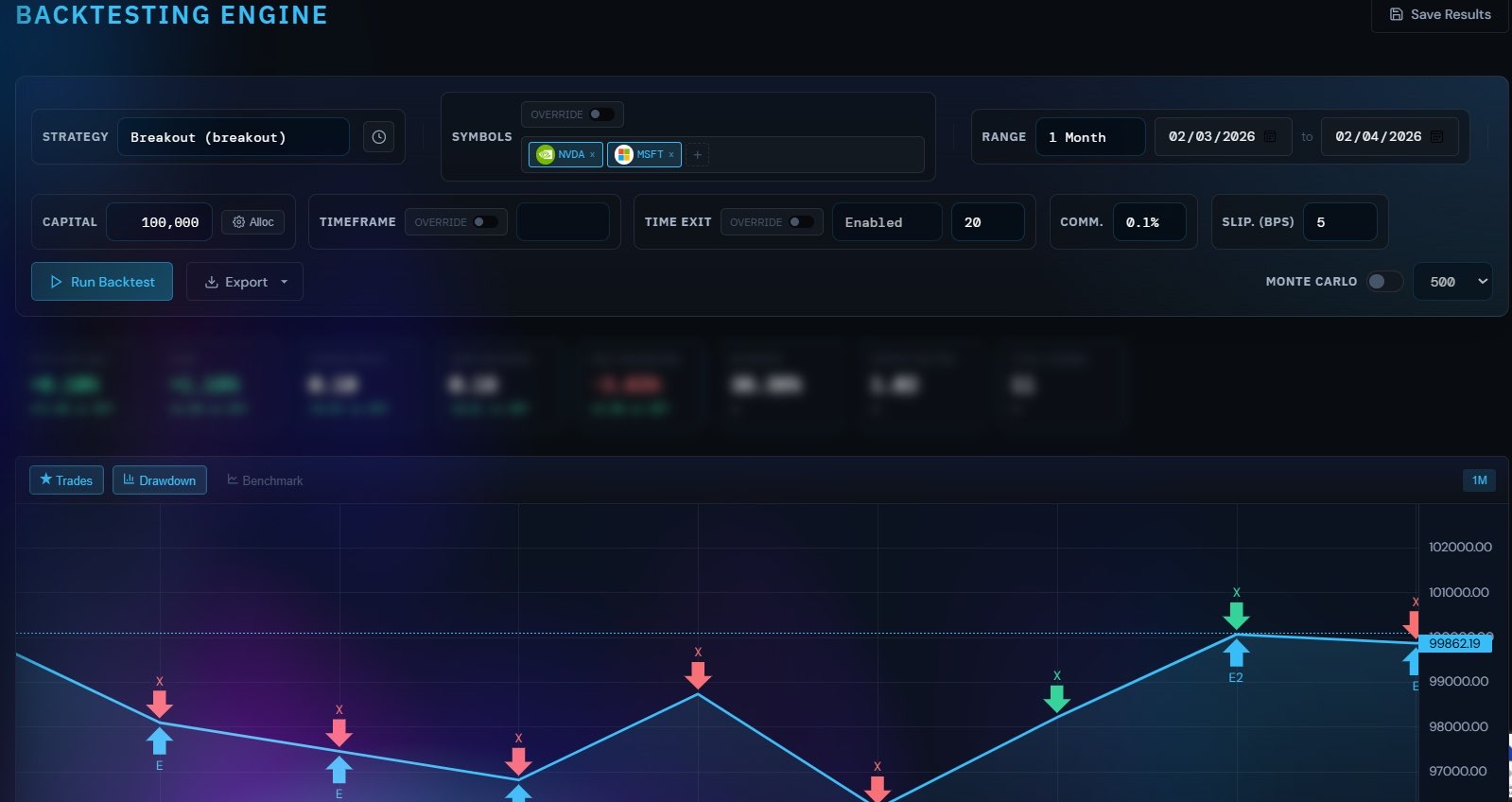
Run single-symbol and multi-symbol backtests with realistic execution costs, detailed diagnostics, and exportable results. The engine is built to validate strategy behavior, not just draw a curve.

  • Historical market data with provider fallback across supported symbols and timeframes
  • Execution-aware simulation with slippage, spread, and commission assumptions
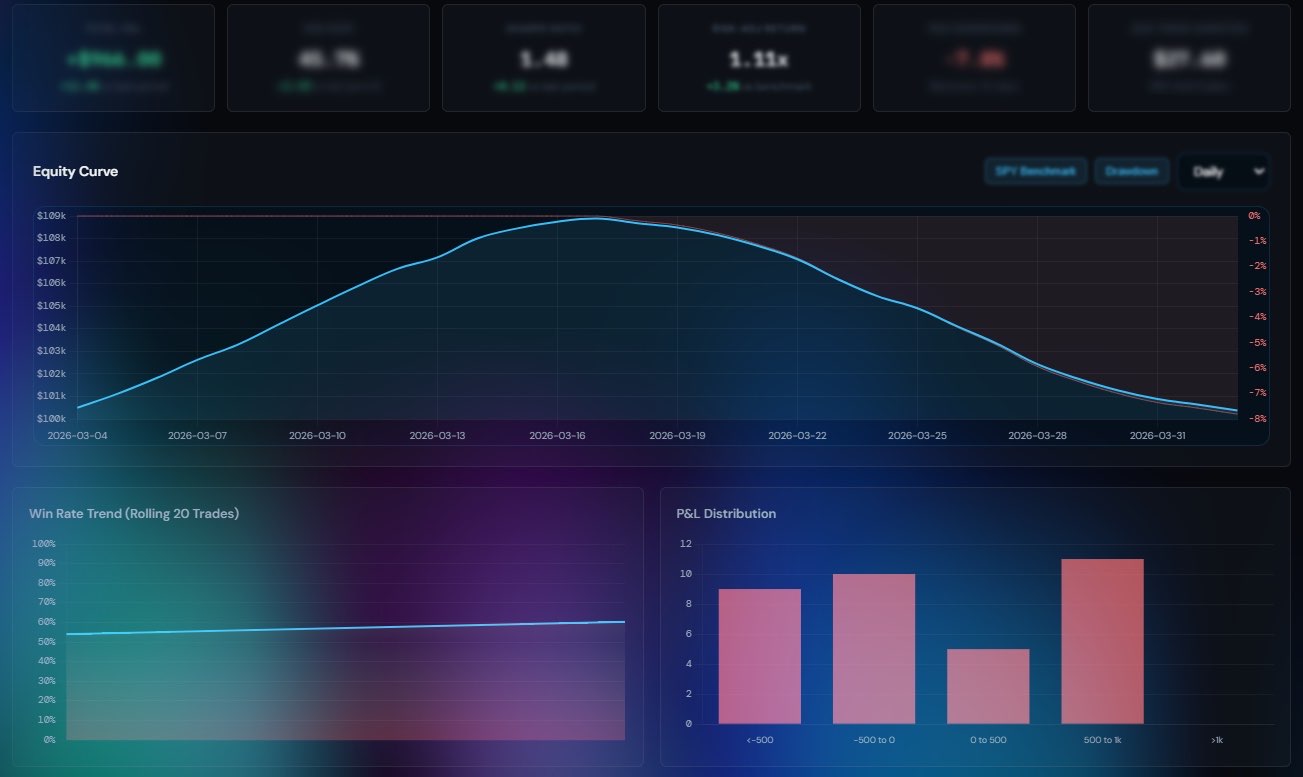
  • Performance and risk metrics including return, win rate, Sharpe, Sortino, and drawdown
  • Trade tables, distributions, duration analysis, drawdown views, and exportable reports
  • Multi-symbol allocation, comparison mode, and shared-capital portfolio testing
Try Backtesting
Validation Engine Single + multi-symbol
See how a strategy behaves under realistic costs, capital splits, and portfolio rules before you promote it.
Scenario ControlRe-run the same strategy across different symbols, capital splits, and execution costs without rebuilding the model.
Result DepthInspect trade logs, equity curves, drawdowns, win-rate trends, and monthly return maps from one screen.
Portfolio ModeCompare strategies independently or test them together with shared capital constraints.
ExportsDownload trade logs, summary reports, and full JSON result sets for further review.
AI Forecasting

Forecast Price Direction With Confidence Bands

Use plan-tiered AI forecasting to generate directional outlooks, probability-aware ranges, and reviewable model output that slot naturally into your research and validation workflow.

  • Multi-horizon forecasts for short-term and swing-style trading windows
  • Confidence intervals and scenario ranges that frame uncertainty instead of hiding it
  • Plan-aware access controls for forecast volume, detail depth, and usage frequency
  • Model refresh workflows tied to updated market data and active technical conditions
  • Outcome review so you can compare prior forecasts with realized price action over time
Unlock Forecasting
Forecast Workspace Probability-aware
Forecasts appear as ranges, scenarios, and confidence-aware signals so they support judgment instead of pretending certainty.
Multi-Horizon ViewsReview short-horizon and swing scenarios in the same structured surface used for research, validation, and review.
Confidence BandsFrame upside and downside ranges so you understand where the model sees uncertainty.
Tier ControlsKeep forecast volume and depth aligned with the subscription level assigned to each account.
Outcome ReviewMeasure past calls against realized price action to continuously calibrate trust and process.
Chart Analysis

Interactive Trading Charts

Use the chart workspace to inspect price action, overlay indicators, and review market structure before you commit capital. It is designed for analysis and decision support, not as a video demo surface.

  • Interactive candlestick charts with multiple timeframes and symbol switching
  • Overlay technical indicators and trend context directly on the chart workspace
  • Review signals, historical moves, and chart context alongside your strategy workflow
  • Watchlist-linked chart exploration for supported equities and ETFs
  • Built to pair manual review with strategy testing rather than isolated chart snapshots
Start Trading
Analysis Workspace Multi-timeframe
Price, indicators, and symbol context stay visible together so review does not break your workflow.
Chart ContextKeep candles, overlays, and symbol context aligned so discretionary review stays consistent with the logic used by your bots.
Indicator OverlayLayer core indicators onto the chart so manual review matches the same logic used by your bots.
Symbol FlowMove from watchlist names into chart review quickly when screening setups or validating a move.
Decision SupportUse the chart area as confirmation before backtesting, paper trading, or promoting a strategy setup.
Stocks & Analytics

Real-Time Market Insights

Track symbols, review market data, and measure strategy behavior with analytics that tie directly back to your bots and backtests.

  • Live quotes, supported symbol coverage, and market data views for your active universe
  • Performance metrics such as win rate, profit factor, expectancy, and return breakdowns
  • Risk metrics including drawdown, Sharpe, Sortino, and capital-path visibility
  • Saved backtest history and comparison views to revisit what changed between runs
  • Watchlists and market monitoring tools to keep strategy research grounded in current data
Explore Stocks
Market Analytics Research + review
See what happened, why it happened, and which symbols or strategies deserve another pass.
Symbol TrackingMonitor active symbols, saved runs, and performance drift from one research surface instead of jumping between disconnected tools.
Performance ReviewBreak down strategy outcomes into return distributions, monthly maps, trade durations, and win-rate changes.
History RecallSaved backtest runs make it easier to compare revisions instead of relying on memory or screenshots.
Research LoopMove from market observation into strategy edits and backtesting without rebuilding the workflow each time.
Risk Management

Protect Capital At Every Step

Apply practical guardrails to every stage of the workflow, from strategy settings to backtest assumptions and paper-capital controls.

  • Stop-loss, take-profit, and trailing protection
  • Capital allocation and position sizing that can be tested across one or many symbols
  • Trade-management rules such as hold limits, cooldowns, and signal confirmation thresholds
  • Drawdown visibility, loss-aware review, and portfolio-level discipline in backtest results
  • Paper-capital controls and broker-aware workflows to validate execution before live deployment
Set Your Rules
Risk Controls Capital first
Risk settings are part of the build and validation flow, not a disconnected afterthought.
Trade ProtectionCarry stops, trails, sizing, and loss limits through build, validation, and paper execution before capital is exposed.
Capital DisciplineSplit initial capital across symbols or portfolios and see the effect of those choices on outcomes.
Execution FrictionCarry spread, slippage, and commission assumptions through the same backtest that generates your metrics.
Environment ControlWork through internal paper or broker-linked paper flows before moving toward live execution.

And Much More

Additional features to supercharge your trading journey

Paper Trading

Validate strategy behavior with internal paper workflows and broker-connected paper environments before going live.

Broker Connection

Connect supported broker environments and keep the platform aware of paper versus live execution modes.

Strategy Comparison

Run multiple bots side by side and compare outcomes before committing more capital to one approach.

Alerts & Notifications

Keep track of platform events, signals, and account activity without watching the terminal all day.

Saved Backtest History

Revisit prior runs, symbols, and date ranges so optimization is based on evidence instead of memory.

Execution Diagnostics

Review why trades were filtered, how exits occurred, and what cost assumptions changed the result set.

Ready to Start Trading?

Join traders who are building their freedom with SFZ Capital's powerful trading platform.

Get Started